Conditional text
Conditional Text is the tool suitable to format cells in a range/database based on a criterion previously specified in the decision table.
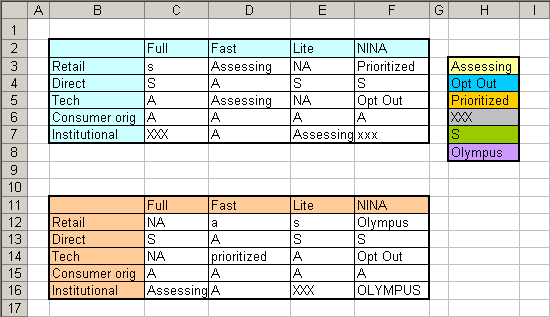
For the following example, you will need a database and a decision table, as shows the image:
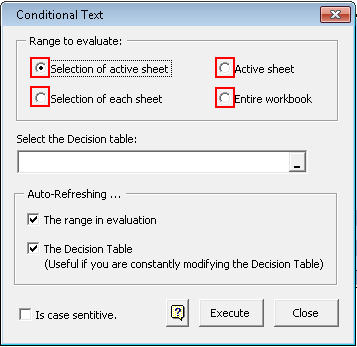
Use instructions:
1.- Enter the Decision table in the dialog box:
 |
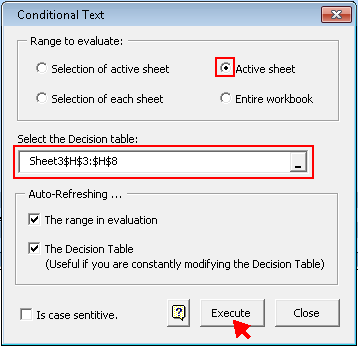 |
2.-Click on the OK button.
The result is shown below:
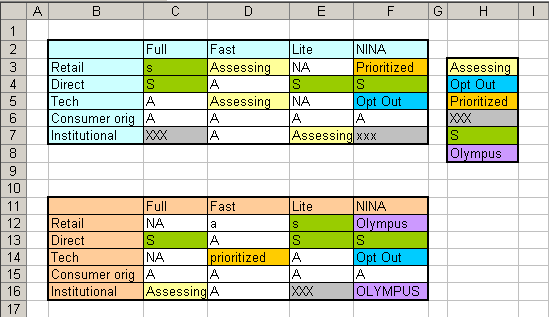
Notes:
If you wish to stop the automatic update , open the dialogue box again and quit check of the Auto-refresh....
then press the button close in order to close the dialogue box.
The refreshing option applies only on the active sheet.