
| Quick references changer |  |

|
||||||
|
||||||
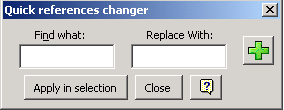
| With this tool you will be able to modify in your formula the references towards a determined cell by references towards other specific cell. | ||||||
|
||||||
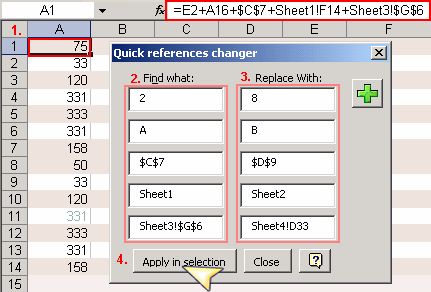
| For Example in the following case if you want to change the references in the formula from A1 range. | ||||||
| 1)Select A1 range . | ||||||
| Press the button Add 5 times to add 5 text boxes which are necessary for the following example. | ||||||
| 2)Enter respective values of the references to search (2,A,$C$7,Sheet1,Sheet3!$G$6) in each one of the text. | ||||||
| 3) Now enter the correspondng values to the references for which you want to replace respectively. | ||||||
| 4)Click on the Apply in selection button. | ||||||
|
||||||
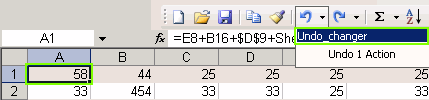
| Finally this is the result | ||||||
| References in the formula from A1 range have been modified. | ||||||
|
||||||
|
||||||
|
||||||
| Note: The Undo opcion will be available with the name undo_changer. | ||||||
|
||||||