
| Categorize database |  |
Use this practical tool to categorize records in a database, based on a category table.
It also provides as much as four category levels.
The following example will illustrate how this beneficial tool works:
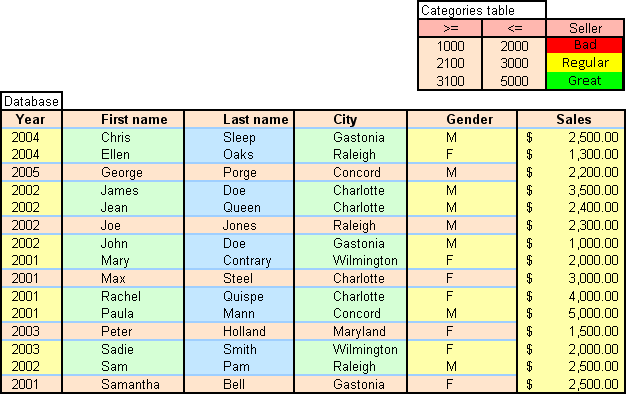
Consider the following database and the (one-level) category table:
Follow the following steps:
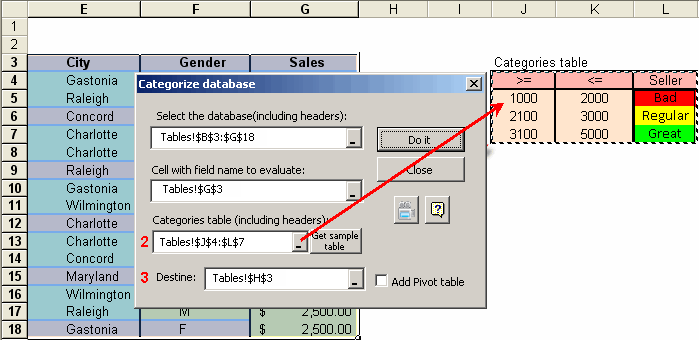
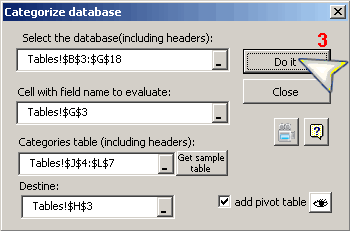
Click on the Categorize button in the toolbar, then:
1. Choose the database and the field to be evaluated.
2. Select the category table.
3. Finally, choose the destination cell to paste results.

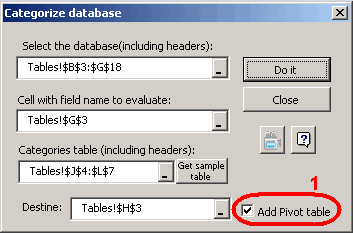
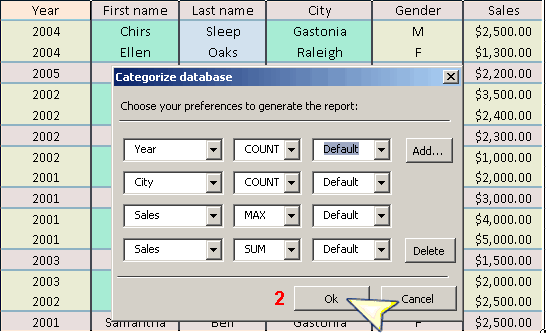
 "View pivot table" to change your preferences concerning to the creation of the pivot table.